How to Choose the Best RJ45 Cable for Your Network?
Choosing the best rj45 cable begins with the network’s real demands, not the most impressive label on the package. A home office, gaming room, and data center need different levels of speed, shielding, durability, and installation flexibility. Ethernet Alliance chair John D’Ambrosia has said, “Ethernet is the most successful networking technology ever developed.” That success still depends on suitable copper cabling.
A reliable choice matches the cable category with the equipment. Cat5e can support many common gigabit networks. Cat6 offers better control of interference and supports higher performance over suitable distances. Cat6A is often preferred for 10-gigabit connections, especially in new commercial installations. Check the switch, router, network adapter, and expected upgrade path together.
Cable length matters.
A 24-meter cable may work perfectly in a quiet home office. A longer run beside power lines can experience unwanted interference. Shielded cable may help in electrically noisy areas, but it requires compatible grounding and connectors. Otherwise, shielding can create confusion instead of protection. Solid-core cable suits permanent wall runs, while stranded cable bends more easily for patch connections.
Look closely at construction details. A dependable rj45 cable should have clear category markings, consistent connectors, strain relief, and credible testing information. Extremely cheap cables are not automatically poor, but vague specifications deserve caution. I would also avoid buying only for future-proofing. Higher category cable can be useful, yet installation quality often matters more than marketing language.
The best decision is practical, verified, and slightly conservative. Test the finished connection. Then reconsider whether the cable truly fits the network.
Define the Role of an RJ45 Cable in a Network
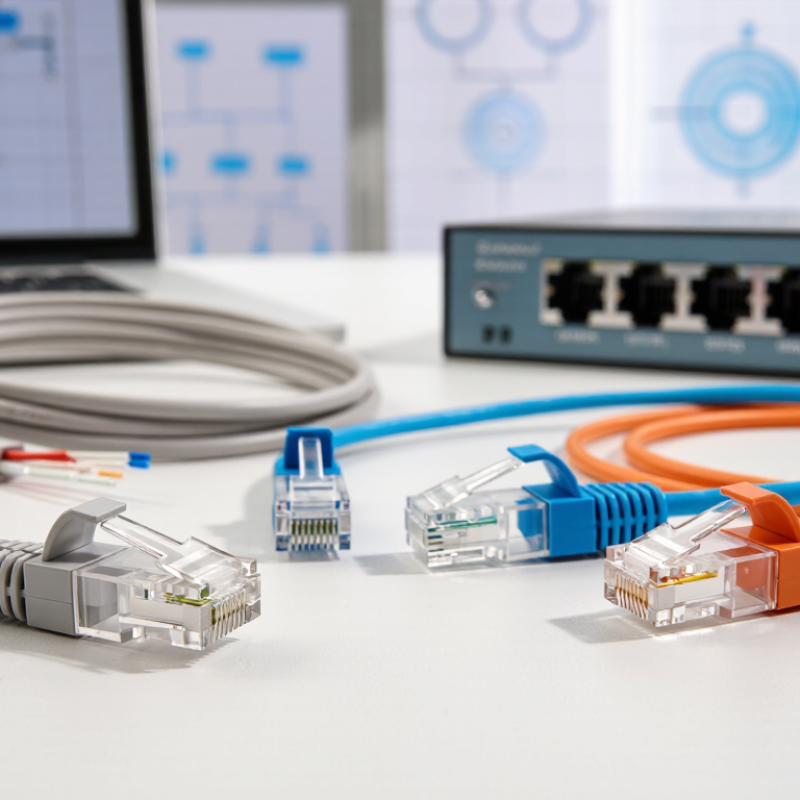
RJ45 is often described as a cable, but technically it is the connector interface used with twisted-pair Ethernet wiring. In everyday networking, people call the complete patch lead “an RJ45 cable.” Its role is simple: carry data between devices, such as a computer, switch, router, camera, or access point. Inside, twisted copper pairs reduce interference while electrical signals travel from one endpoint to another. A cable cannot improve a weak internet service. It can, however, limit speed, distance, and connection stability when its construction is poor or unsuitable.
Choosing the right cable starts with the network’s actual requirements. Match the cable category with the speed supported by your equipment. Consider length, installation space, bend radius, and exposure to heat or moisture. A short office patch lead may need flexibility, while a cable inside a wall needs stronger protection and suitable fire performance. Check conductor material and termination quality, too. A cable may look impressive and still fail after repeated bending. I have seen neat installations suffer from loose plugs and excessive cable tension. The label was not the problem.
Tips: Measure the route before buying. Leave gentle slack, not tight loops. Keep data cables away from power lines where practical. Test every finished run with a certified cable tester. If the result is unexpected, inspect the connector first; a tiny misaligned contact can interrupt an entire link.
How to Choose the Best RJ45 Cable for Your Network?
Define the Role of an RJ45 Cable in a Network
RJ45 cables connect network devices such as switches, routers, computers, access points, and patch panels. The cable category affects signal bandwidth, network speed, interference resistance, and the maximum distance supported.
Higher-category cables support higher frequencies and are better suited to high-speed networks. Cat5e is generally suitable for standard 1 Gbps networks, Cat6 supports improved performance and limited 10 Gbps links over shorter distances, while Cat6A supports 10 Gbps Ethernet up to 100 meters under appropriate installation conditions.
Match Cable Categories to Speed and Bandwidth Requirements
Choosing an RJ45 cable starts with speed, distance, and bandwidth, not appearance. For standard gigabit Ethernet, Cat5e can support 1 Gbps across runs up to 100 meters when installed correctly. Cat6 provides more headroom and can support 10 Gbps over shorter distances, often up to 55 meters. Need more bandwidth? Cat6A is designed for 10 Gbps across 100 meters, which suits busy offices, servers, and high-resolution media transfers.
Cable category alone cannot guarantee performance. Poor termination, tight bends, crushed sections, and nearby power cables can increase signal interference. A certified cable tester can identify insertion loss, crosstalk, and wiring faults that a basic link light may miss. Leave gentle service loops, preserve pair twists near connectors, and label both ends clearly. Small details matter.
Higher category is not automatically better. A Cat6A installation may be unnecessary for a short connection between a computer and a basic switch. It can also require larger pathways and more careful termination. For permanent cabling, choose solid bare copper conductors and verify the cable’s specifications. Some low-cost cables use materials that create higher resistance and unreliable results. I would question any upgrade based only on a larger category number. The network’s actual speed, distance, and future traffic should guide the choice.
Choose the Right Shielding and Installation Design
Choosing the right RJ45 cable involves more than selecting a category rating. Shielding and installation design often decide whether performance remains stable in a busy network room.
For environments near motors, fluorescent lighting, or heavy power cables, use a shielded cable with properly bonded connectors and patch panels. An unshielded cable may work during testing, then suffer intermittent errors after equipment is added.
ANSI/TIA-568.2-D and ISO/IEC 11801-1 support channel lengths up to 100 meters, including patch cords.
Keep the permanent link within 90 meters. Small details matter.
The 2023 Uptime Institute Annual Outage Analysis reported that 60% of significant outages cost at least 100,000 dollars.
Poor cabling is not always the direct cause, but weak installation practices increase troubleshooting time and operational risk. Separate data and power pathways where possible. Avoid sharp bends, tight cable ties, and crushed bundles.
Maintain the manufacturer’s recommended bend radius, often four times the cable diameter for copper cable.
Shielding must also be continuous. One unbonded connector can reduce its value.
I have seen installers choose expensive shielded cable, then route it beside power feeders without proper bonding. That defeats the design.
I would also question oversized bundles; heat and alien crosstalk can rise as density increases.
Test every permanent link with a calibrated certifier, record the results, and photograph pathway conditions. Installation records are evidence, not decoration.
Compare Standards, Durability, and Total Cost Before Buying
How to Choose the Best RJ45 Cable for Your Network?
Choosing an RJ45 cable starts with the network standard, not the package label. Cat5e usually supports 1 Gbps, while Cat6 can provide more headroom for faster equipment. Cat6A is a stronger choice for sustained 10 Gbps links, especially over longer runs. Check the actual cable length and installation environment. A higher category does not automatically improve an outdated switch or router. I once selected an advanced cable for a small home network and gained little practical value. That decision was expensive, not smarter.
Tips: Match the cable category to your equipment, distance, and future upgrades. Use solid-core cable for permanent wall runs and stranded cable for short patch connections. Choose shielding only when nearby electrical equipment creates measurable interference. Otherwise, it may add cost and complicate grounding. Look for clear specifications, conductor size, fire rating, and independent test information.
Durability affects the total cost more than the purchase price. A thick jacket, secure connectors, and strain relief can prevent intermittent faults under desks or inside crowded cabinets. Yet very stiff cables may increase installation time and damage ports when bent sharply. Count labor, replacement visits, testing, and downtime before buying. A cheaper cable that fails twice is rarely cheap. I would also leave some room for uncertainty; published performance can change after poor installation, tight bends, or mixed cable types. Test every completed link instead of trusting appearance alone.
How to Choose the Best RJ45 Cable for Your Network? - Compare Standards, Durability, and Total Cost Before Buying
| Category |
Rated Frequency |
Typical Ethernet Speed |
Maximum Recommended Channel Length |
10 Gb/s Capability |
Shielding Guidance |
Durability Considerations |
Relative Installed Cost Index |
Best-Fit Applications |
| Cat5e |
100 MHz |
1 Gb/s up to 100 m |
100 m |
Not generally recommended for 10 Gb/s |
Unshielded versions are common; shielded versions are available |
Choose a solid copper conductor, a suitable jacket rating, and strain-relieved connectors. The category itself does not determine outdoor, fire, or water resistance. |
1.0 / 5 |
Cost-sensitive home networks, basic office connections, and standard 1 Gb/s access links |
| Cat6 |
250 MHz |
1 Gb/s up to 100 m |
100 m |
Up to approximately 55 m under suitable installation conditions |
Unshielded construction is widely used; shielding may help in high-interference areas |
Often includes a separator to reduce pair crosstalk. Select a jacket designed for the installation environment and avoid excessive bend or pulling force. |
2.0 / 5 |
New residential wiring, small offices, wireless access-point backhaul, and general-purpose networks |
| Cat6A |
500 MHz |
10 Gb/s up to 100 m |
100 m |
Fully specified for 10 Gb/s at the maximum channel length |
Shielded and unshielded designs exist; shielding is useful near motors, power cables, and industrial equipment |
Usually has a larger outside diameter and stricter bend requirements. It provides better crosstalk control but may require larger cable pathways and patch panels. |
3.0 / 5 |
Future-ready structured cabling, 10 Gb/s servers, data-center edge links, and high-performance offices |
| Cat7 |
600 MHz |
10 Gb/s up to 100 m |
100 m |
Supported for 10 Gb/s at the maximum channel length |
Shielded construction is required by the category specification; connector compatibility must be checked carefully |
Strong electromagnetic protection, but the thicker, less flexible cable can be more difficult to terminate and install. RJ45-compatible implementations may not deliver every proprietary connector feature. |
4.0 / 5 |
High-interference environments and specialized structured-cabling installations where shielding is important |
| Cat8 |
2,000 MHz |
25 or 40 Gb/s up to 30 m |
30 m |
Designed for 25/40 Gb/s short-reach links |
Shielded construction is required; use compatible shielded jacks, plugs, and patch panels |
Typically thick, rigid, and less tolerant of tight bends. Installation quality and complete channel compatibility are critical. |
5.0 / 5 |
Short data-center rack links and specialized high-speed connections where 25/40 Gb/s is required |
Buying guidance: For most new installations, Cat6 is a balanced choice for ordinary 1 Gb/s networks, while Cat6A is the practical option when 10 Gb/s operation over 100 m or longer service life is required. “Relative Installed Cost Index” is a planning scale rather than a retail price: it compares typical cable, compatible hardware, labor, pathway space, and termination complexity, with Cat5e set to 1.0. Actual costs vary by cable length, jacket rating, shielding, labor, and local regulations. Ethernet channel limits assume a maximum 90 m permanent link plus up to 10 m of patch cords.