How to Choose the Best Fiber Optic Termination Kit
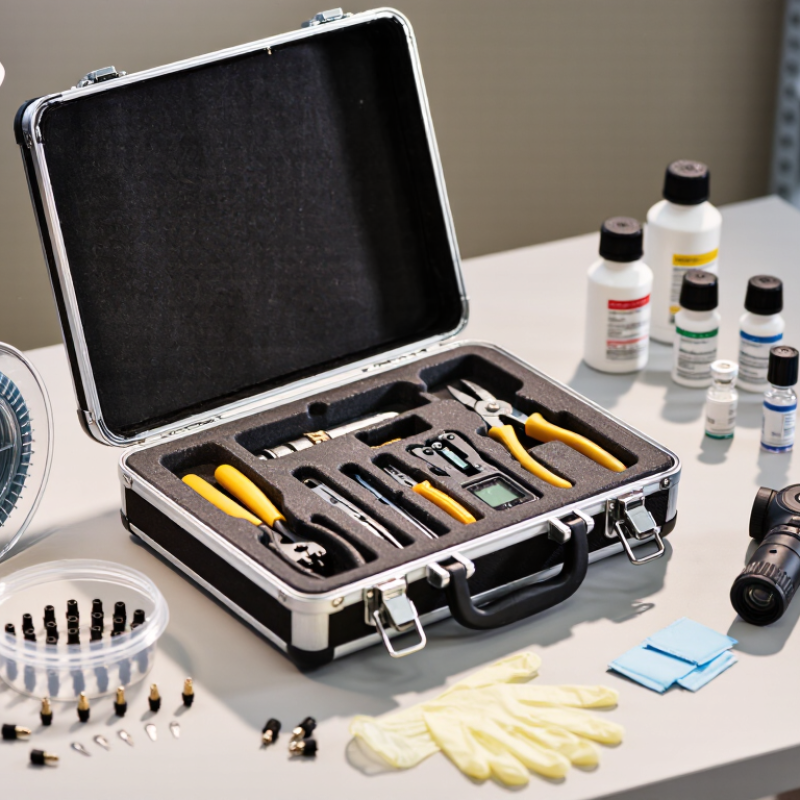
Choosing the right fiber optic termination kit starts with the work you need to perform. A kit for field installation may include a fiber stripper, precision cleaver, connector assembly tools, and cleaning supplies. Some kits support mechanical splice-on connectors, while others are designed for epoxy-and-polish termination. These methods are not interchangeable. Check connector compatibility before comparing prices or tool counts.
The cleaver deserves close attention. A rough or inconsistent fiber end face can lead to higher signal loss, even when the connector looks clean. Look for clear instructions, replaceable blades, and tools that feel stable in the hand. Small details matter. Also check whether the case protects delicate components and whether common consumables are easy to replace. A basic inspection scope and lint-free wipes can be more useful than extra tools you may rarely touch.
There is no perfect kit for every technician or job. A compact kit may suit occasional repairs, but frequent installations often call for durable tools and readily available replacement parts. Consider the fiber type, connector style, expected workload, and conditions at the work site. Dust, limited bench space, and poor lighting can complicate a task quickly. One point is easy to miss: a good kit supports consistent work, but it does not replace training or careful inspection. Compare the kit’s specifications with the connector manufacturer’s instructions, and allow room to reassess your choice after real jobs.
Identify the Fiber Optic Cables and Connectors You Need to Terminate
Before choosing a termination kit, identify the cable you will work on. Check its jacket for fiber type, core count, and construction. A tight-buffered indoor cable may need different preparation tools than a loose-tube outdoor cable. Read the cable markings, then confirm them against the project documents. Labels can be worn or incomplete. Don’t guess from color alone.
Next, identify the connector at each endpoint. Common types include LC, SC, and ST, but the connector shape is only part of the match. Check whether the fiber is single-mode or multimode and whether the endface uses UPC or APC polish. These details affect compatibility and inspection. Note the connector’s ferrule size and the termination method required, such as adhesive-and-polish or a mechanical connector. A kit that supports the wrong method can leave you short of essential tools.
Be specific. Record the cable diameter, fiber count, connector type, and polish before comparing kits. A quick photo of the jacket label and connector can help, but verify the written specifications too. I might be tempted to treat familiar colors as reliable clues; that shortcut is not always sound. Then check that the kit includes suitable stripping, cleaving, and cleaning tools for the cable and connector combination.
| Fiber or Cable to Terminate | Common Connector Types | Termination Method | Kit Features to Look For | Checks Before Buying |
|---|---|---|---|---|
| Single-mode fiber Typically OS2 cable, with a 9/125 µm fiber specification. |
LC, SC, FC, or ST, depending on the equipment and installation. | Field-installable connector, mechanical-splice connector, or adhesive-and-polish process. | Tools and connectors explicitly compatible with single-mode fiber; suitable cleaving and end-face inspection equipment. | Confirm the connector type, polish grade (UPC or APC), cable construction, and required fiber count. UPC and APC end faces should not be mated together. |
| Multimode fiber Common types include OM1, OM2, OM3, OM4, and OM5; core and cladding dimensions depend on the fiber type. |
LC and SC are common; ST may be present in older installations. | Field-installable connector or adhesive-and-polish termination, using components specified for the multimode fiber. | Connector and consumables rated for the selected multimode fiber; polishing fixtures and inspection tools matched to the connector. | Identify the OM category and confirm it matches the installed link. Do not assume a connector alone determines fiber compatibility. |
| Tight-buffered indoor cable Often used in premises wiring and equipment rooms. |
Usually LC or SC; other connector styles may be required by existing hardware. | Connector installation directly onto prepared tight-buffered fiber, or termination through a compatible pigtail or splice arrangement. | Buffer-stripping tools suited to the buffer diameter, precision cleaver, connector-specific assembly tools, and cleaning supplies. | Check the buffer size, connector design, and whether the kit supports the cable’s strength members and jacket arrangement. |
| Loose-tube outdoor cable Fibers are housed inside buffer tubes and may include water-blocking materials. |
LC or SC connectors are commonly used at the indoor equipment end, often through a splice enclosure or patch panel. | Typically fusion-spliced to connectorized pigtails rather than terminated directly with a standard connector kit. | For direct field work, confirm the kit includes or supports tube access, fiber preparation, splice protection, and the required splice equipment. | Verify the cable’s tube and water-blocking construction, enclosure requirements, and whether the job calls for splicing rather than direct connectorization. |
| Fiber drop cable May be flat, round, or otherwise shaped for building entry or subscriber access. |
Often SC or LC, depending on the termination point and network design. | Connectorization or fusion splicing, depending on the drop-cable design and installation specification. | Fiber-specific stripping and cleaving tools; confirm support for the drop cable’s jacket, strength members, and fiber coating. | Check the fiber type, cable shape, connector interface, and permitted bend radius in the cable and connector instructions. |
| LC connector termination A compact connector format commonly used where port density is important. |
LC/UPC or LC/APC, in simplex or duplex configurations. | Field-installable, mechanical-splice, or adhesive-and-polish options are available, depending on the connector system. | LC-specific holders, assembly tools, and inspection access; confirm support for the required polish grade and fiber mode. | Check simplex versus duplex needs, adapter compatibility, and the exact LC polish grade specified for the link. |
| SC connector termination A push-pull connector format used in many premises and access applications. |
SC/UPC or SC/APC, in simplex or duplex arrangements. | Field-installable, mechanical-splice, or adhesive-and-polish options, subject to the connector design. | SC-compatible assembly fixtures and consumables; include proper cleaning materials and end-face inspection capability. | Confirm the required polish grade and adapter type. APC and UPC connectors are not interchangeable for direct mating. |
| ST or FC connector termination May be specified for legacy equipment, test setups, or particular installation environments. |
ST uses a bayonet-style coupling; FC uses a threaded coupling. Both are available in different fiber and polish configurations. | Use a connector-specific field-installable or adhesive-and-polish process. | Matching ST or FC fixtures, connector parts, and polishing tools; make sure the kit supports the actual fiber type. | Check the equipment interface, connector polish, fiber mode, and whether these connector styles are explicitly required by the project. |
| Any field-termination project Applies to single-mode and multimode work. |
Choose the connector interface and polish grade specified for the link. | Follow the connector manufacturer’s preparation, cleaving, assembly, curing, or polishing procedure, as applicable. | At minimum, plan for fiber stripping, cleaving, cleaning, inspection, and the tools required by the selected termination method. | Confirm the kit’s supported fiber diameters, connector family, consumables, replacement parts, and project test requirements before purchase. |
Related Posts
-
Top Fiber Termination Kit Buying Guide for Global Buyers
-

7 Essential Tips for Choosing the Best Fiber Optic Termination Kit for Your Projects
-
Best Fiber Optic Termination Kit for Fast and Easy Setup?
-

2025 Guide: Choosing the Best Fiber Optic Cable Termination Kit for Your Needs
-
Essential Tips for Choosing the Right EZ RJ45 Connectors?
-
Top 2025 EZ RJ45 Connectors: What You Need to Know for Network Setup