How to Use Fiber Patch for Enhanced Connectivity and Performance?
In today’s fast-paced digital world, reliable connectivity is crucial. A fiber patch can significantly enhance network performance. This technology allows for streamlined communication. It uses flexible fiber optic cables to connect devices seamlessly.
However, many overlook the importance of proper installation. Poorly managed fiber patches can lead to signal loss. Users may experience frustration when their network fails. Attention to detail is necessary for optimal performance.
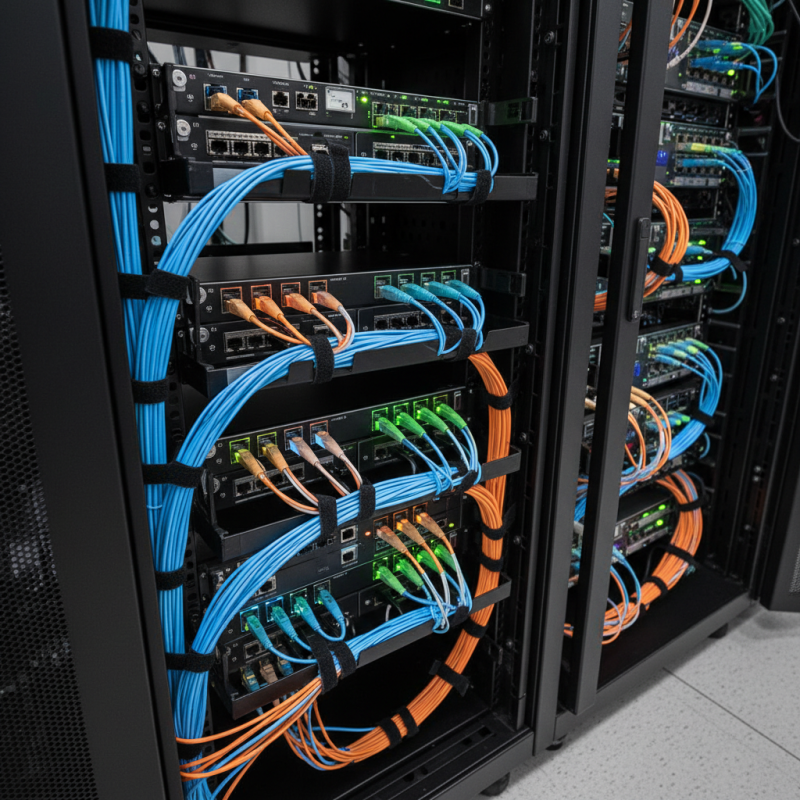
Creating a structured patch management system can help in avoiding chaos. Labeling cables is one effective strategy. Regular testing ensures the integrity of connections. The goal is a flawless network. Embracing fiber patch technology offers a path to superior connectivity.
Understanding Fiber Patch Cables and Their Importance in Networking
Fiber patch cables play a vital role in modern networking. These cables facilitate fast and reliable data transmission. They connect various network components, ensuring seamless communication. Made of glass fibers, they transfer data using light, which allows for higher speeds and greater bandwidth.
Understanding their importance can help optimize network performance. A proper selection of fiber patch cables can reduce signal loss and improve reliability. However, it’s common to overlook factors like cable length and connector types. Mistakes in these areas can lead to frustrating network issues.
Troubleshooting can be challenging but is essential. Regularly inspecting cables for wear and tear can prevent unexpected failures. Also, managing cable layouts can enhance both aesthetics and functionality. Investing in quality cables may seem costly, but it often pays off in the long run. The consequences of poor connectivity can be significant, disrupting business and everyday tasks.
Identifying the Right Fiber Patch Cable for Your Network Needs
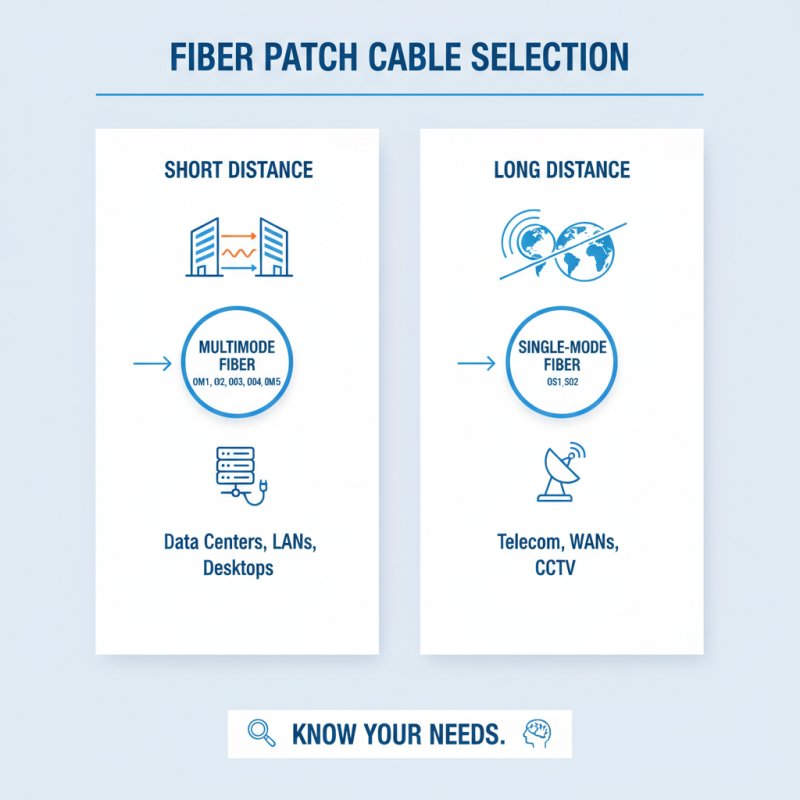
When selecting a fiber patch cable, the specifics matter greatly. Different applications require diverse cable types, and knowing your needs is essential. For short-distance connections, a multimode fiber might suffice. However, for long-range transmissions, single-mode fiber does the trick.
The connectors on the ends of the cables are another key aspect. Choose the connectors that match your equipment. Usually, there are SC, LC, and ST types available. Ensure that your network devices can accommodate these connectors. Even minor mismatches can lead to connectivity issues.
Additionally, evaluate the cable's buffer and jacket material. The environment in which the cable is used can affect performance. Indoor cables typically differ from outdoor cables in durability. Review the installation area to make an informed decision. Making the right choice often requires careful consideration, and it’s important to recognize that mistakes can happen.
Step-by-Step Guide to Installing Fiber Patch Cables
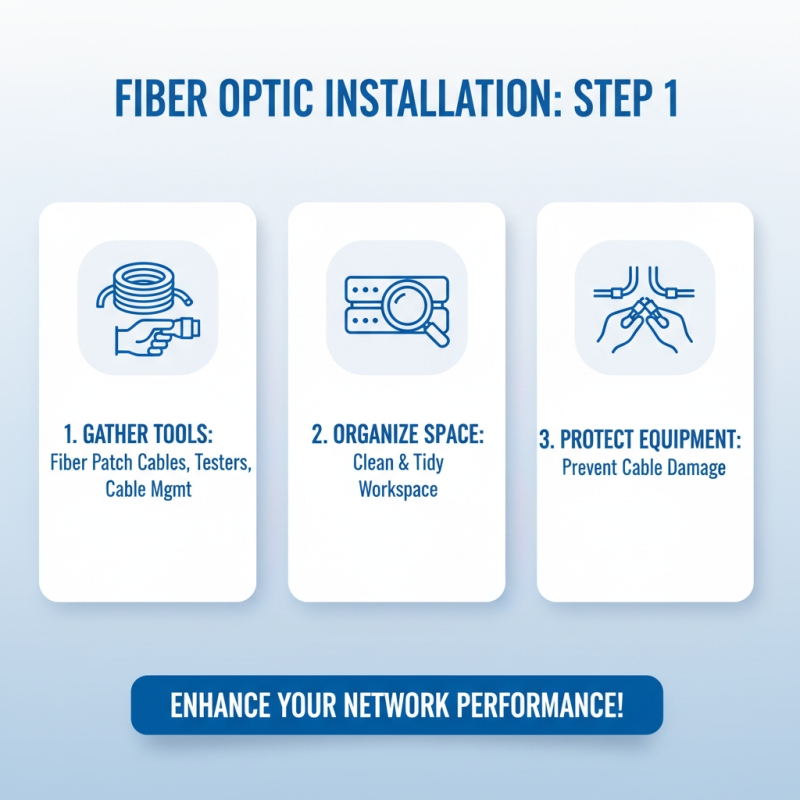
Installing fiber patch cables can greatly enhance your network's connectivity and performance. Begin by gathering the necessary tools. You will need fiber patch cables, cable management tools, and a testing device. Ensure you have a clean, organized workspace to minimize the risk of damaging the cables.
Next, identify the patch panel or switch ports where you’ll connect the cables. Carefully connect one end of the fiber patch cable to the designated port. Make sure it clicks into place. Always handle the fibers gently to avoid breakage. Someone may mistakenly pull or bend the cables beyond their limits. This can lead to connection issues or loss of performance.
Finally, test the connections using your testing device. Look out for any signal loss or interruptions. It’s not uncommon for errors to occur during setup. If you encounter issues, revisit your connections to ensure everything is seated properly. Each step matters in creating a reliable network. Take the time to address any discrepancies, as neglect can lead to frustrations later on.
Testing and Troubleshooting Fiber Patch Performance
Fiber patch cables are crucial for connectivity in network systems. However, testing and troubleshooting their performance can be challenging. Start by checking the physical condition of the cables. Look for any visible damage or kinks. These physical issues can affect data transmission and speed.
When testing fiber patch performance, use a light source and optical power meter. This will help you quantify signal loss across the cable. If the numbers don't match up, something is wrong. Another common issue is misconnection. Ensure that the connectors are firmly seated in their ports. Loose connections can lead to erratic performance and dropped signals.
Tips: Regularly clean connectors using appropriate tools. Dust and dirt can block signals, resulting in slower performance. If problems persist, consider using a different patch cable for testing. This could reveal if the original cable is faulty. Remember, even minor imperfections can cause significant issues in your network setup. Always be open to reevaluating your configurations for optimal performance.
Best Practices for Maintaining and Managing Fiber Patch Connectivity
Fiber patch connectivity is vital for robust network performance. Proper maintenance ensures that speeds remain high and downtime is minimized. Reports indicate that poor connectivity can lead to a 30% decrease in productivity for businesses. Every small lapse in cable management can create issues. Keeping patch panels organized is essential. Cluttered cables can cause signal interference and increase the risk of damage.
Regular inspections of fiber patch cords are crucial. Visual checks can identify wear or stress on cables. The Fiber Optic Association suggests checking connections every six months. This simple task can prevent larger issues down the line. Technicians often overlook cleanliness. Dust on connectors can cause signals to degrade, leading to slower response times. It's a small detail, but it has a big impact.
Documentation plays a key role in managing fiber patch connectivity. Keeping track of cable installations helps in troubleshooting. A study showed that companies with well-documented systems reduced outage times by up to 40%. Employees often forget to update records. This gap can lead to confusion during maintenance or upgrades. Consistent training on proper management practices can mitigate these issues. Remember, small details can make a significant difference in performance.